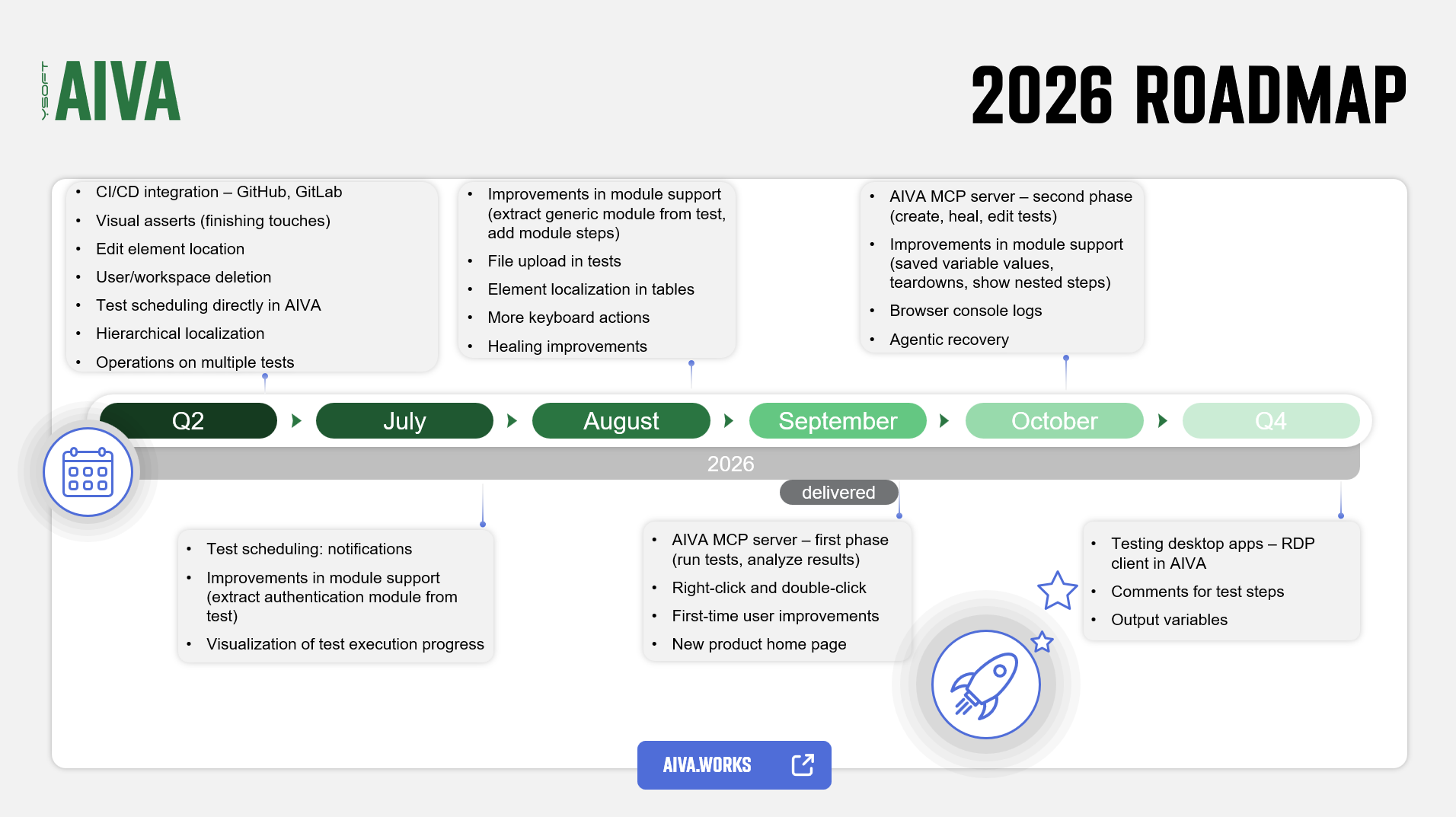
v5.10 - latest (2026-10-05)
Welcome to AIVA news for version 5.10. This release is all about modules: you can now set module variables per test and see what a module does without leaving the test. On top of that, your AI assistant can now record tests through the AIVA MCP server.
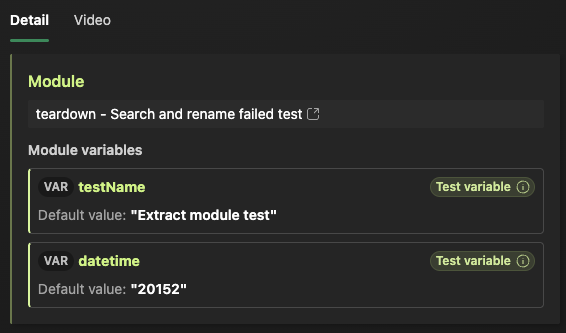
Set module variables per test
You can now overwrite a module's default variable values for each test that uses it. When adding a module to a test or later in the Run module step, you can choose for each
variable whether it keeps the module default, gets a fixed value, or is bound to a test variable
that you can change for every run, for example from a batch or the API.
To learn how each option behaves, see Module variables.
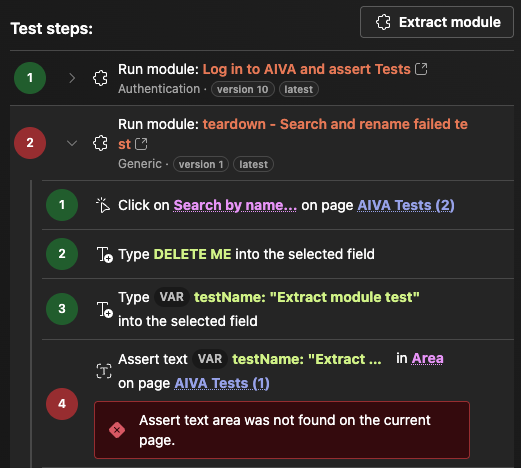
Module steps right inside your test
Wherever a test uses a module, you can now expand the Run module step to see the module's steps directly, both in the test detail
and in the test result, including the detailed module result. While the test runs, the module steps expand automatically so you
can follow the progress. You no longer need to open the module result in a separate tab or window.
Record tests through your AI assistant
In v5.9, we introduced the AIVA MCP server for running tests and reading their results. Now your AI assistant can also record new tests through it, using all available types of action steps. Module steps your assistant adds use their default variable values. You can't set per-test values through the MCP server yet.
Support for variables, and for editing and healing tests through the MCP server, is coming in the next releases.
To get started, see Connect an AI assistant (MCP).
Minor improvements
- Modules table - now looks and works like the Tests table, it's wider, and supports filtering by module type. You can also select and delete several modules at once.
- One-click save after re-recording or module extraction - when you finish re-recording or extracting a module, there are now two buttons: one only finishes the action, and the primary one finishes it and saves the whole test. We noticed that some of you forgot to save the test afterwards, so now there's one step less to remember.
- 15-minute scheduling - the day and time scheduler now lets you pick times in 15-minute steps. Previously, you could only pick full hours.
- Easier to find module extraction - based on user testing, the button for extracting a module is now bigger, and you can also find it in the test result.
Coming soon
- MCP server for AIVA: variables, and editing and healing tests.
- Teardown modules: modules that run after a test to clean up.
- Browser console logs in test results.
Roadmap update