v5.3 - latest (2026-07-28)
Welcome to AIVA news for version 5.3. This release brings you email notifications of batch run results, a change in how AIVA works with module versions, and several quality of life improvements based on your feedback.
Notifications of batch run results
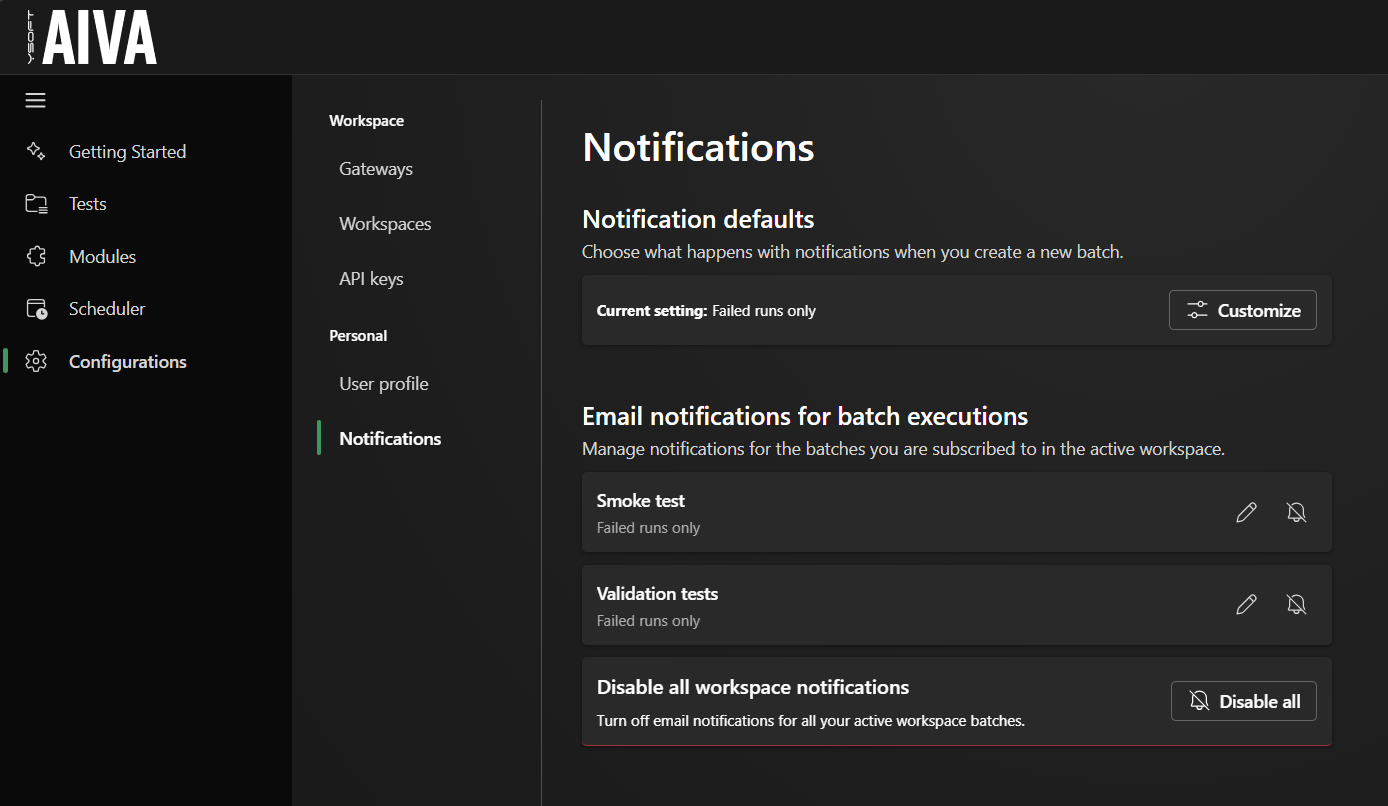
AIVA now notifies you by email when a test batch finishes. You can configure notifications for each batch individually or set a global default in Configurations, under Notifications; the settings apply to the batches you are subscribed to in the active workspace. By default, you get an email when a batch has at least one failed test; you can change this to be notified of all batch runs, or no batch runs at all. The email contains a brief summary and a link to the batch result detail.
With this, scheduling now covers the whole flow: you design tests, schedule them for regular execution, and get notified when the tests find an issue.
Module versions
We’ve been working on enabling generic modules in AIVA – reusable blocks of steps that you can plug into your tests. That way, you’ll avoid repeating shared steps and keep your tests shorter and more readable. Generic modules themselves are not available yet; what ships in this release is a change in how AIVA works with module versions.
Previously, whenever you edited a module, the edit created a new version of the module and of every test that uses it. Now, test definitions are no longer tied to a specific version of a module – each test run uses whatever version of the module is the latest at the moment of execution. This applies to your existing tests too, and it means an edit to a module immediately affects every test that uses it.
Based on your feedback
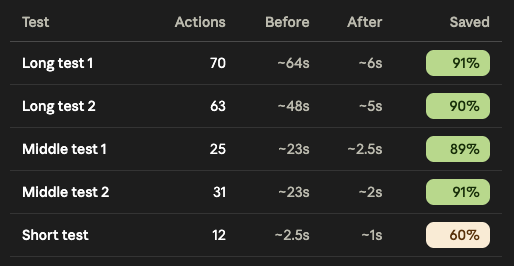
We’ve significantly improved the time it takes for AIVA to process recordings after you save a test. For larger recordings, what previously took close to a minute can now finish in just a few seconds. This means less waiting and faster iteration when building or updating automated tests. Behind the scenes, we’ve also added performance monitoring to help us keep test processing fast as AIVA continues to grow.
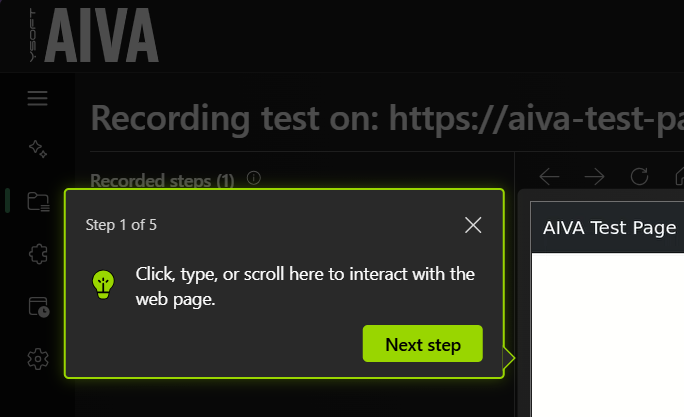
We’ve also made the introductory tutorial in test recording more prominent and less confusing. In multiple user validation sessions, we observed some new users being held back by the tutorial rather than being helped by it, because its design was too subtle and the controls not obvious.
Coming soon
- User choice of how elements in tables are localized (by content, or by position)
- Extract steps of a test into a new generic module