v4.10 - latest (2026-06-04)
Welcome to AIVA news for version 4.10. This time we introduce one big feature, test scheduling directly from AIVA.
New feature: Scheduler
We want AIVA to be easily usable even for non-developers, and so we’re not content with offering the automatic execution of tests only from CI/CD pipelines (announced recently) and by API (already supported). Our users should be able to easily schedule their tests from AIVA directly, and also see an overview of the results.
That’s why, in this release, we’re introducing the option to schedule batches of tests directly in AIVA. You can now set up AIVA tests to be regularly executed on given days of the week, hours of the day, or by a custom Cron expression. This helps you realize the large benefit of test automation, without the complexity of API calls or scripting.
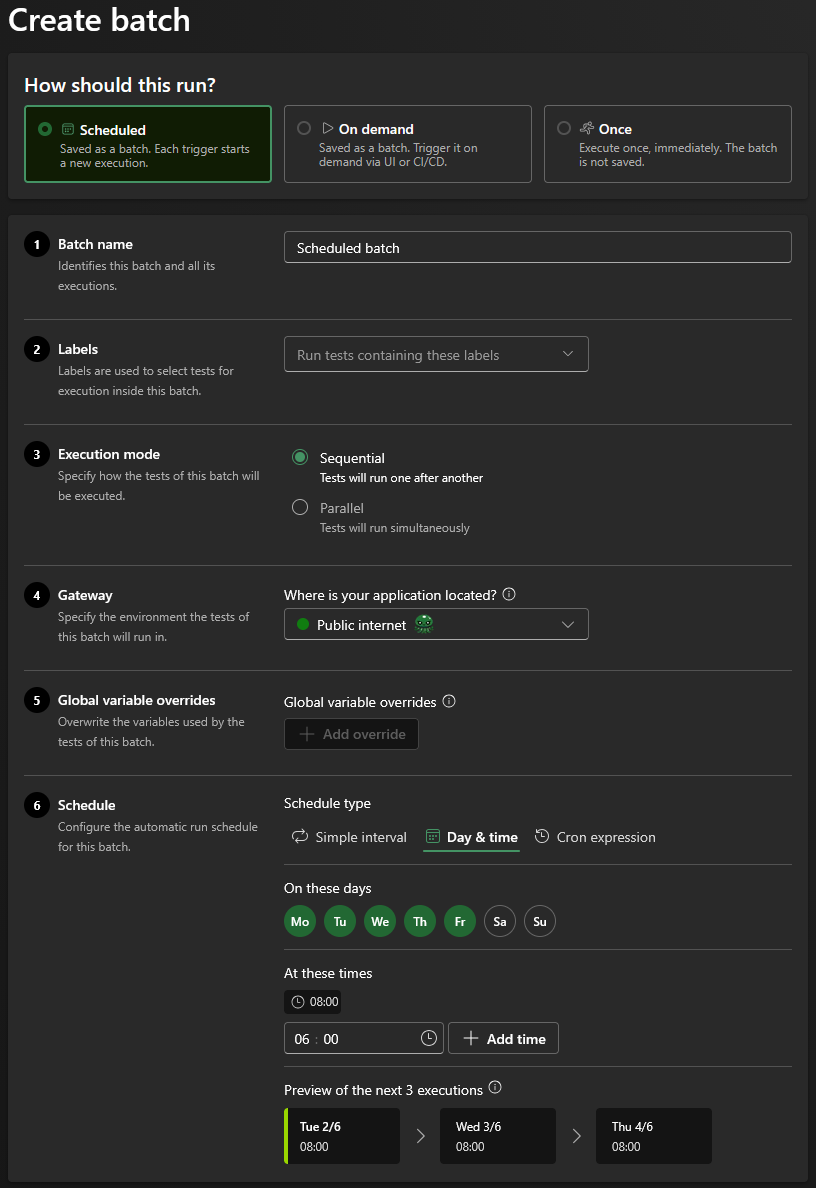
Scheduling also handles an edge case when the previous batch is still running while the next one is due. Currently, the strategy is to complete the running batch and to skip the next one, to prevent overlapping test executions. This is reflected in execution history, indicating that test runtime was longer than the scheduling period.
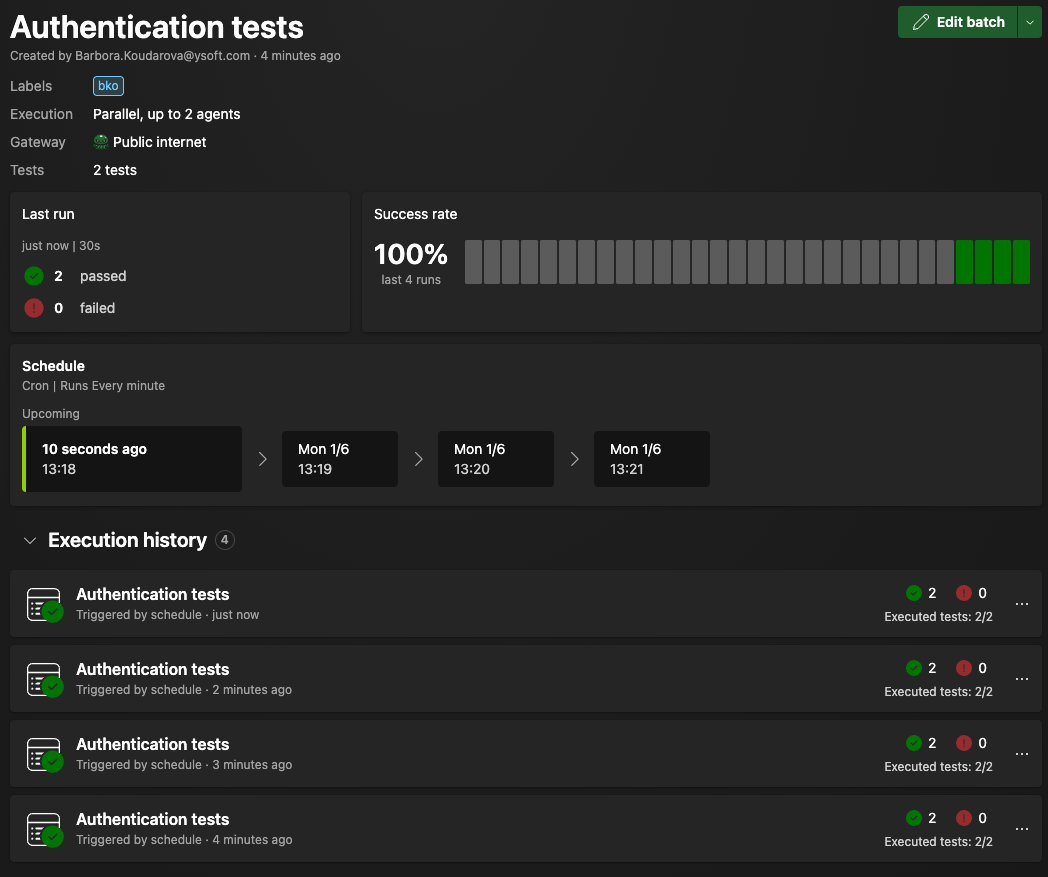
We have also changed the approach to batches. Previously, batches were used for a one-time execution of tests and the user could not see the history of executions of a batch – each execution was separate. Now, batches are persistent, have a history, and can be executed on demand (manually or via an API or by CI/CD) or regularly via scheduling.
Miscellaneous
We’ve made a small but important improvement to how AIVA remembers your settings. Until now, user preferences were stored in cookies. This meant that if you allowed only essential cookies, some settings - like the onboarding wizard - could reappear more often than you’d expect. Now, preferences are saved on the backend instead. That means AIVA remembers your setup consistently, regardless of your cookie settings.
We’ve added a simple hint page for first-time users - or anyone without their own app to test on. It lets you quickly try AIVA using a demo e‑shop directly from the “Create new test” page, so you can explore how it works without any setup. A smoother first step, right from your first visit.
Coming soon
- Element localization improvements – prerequisite for having more control over localization of elements in tables and grids
- Migrating tests from guest user to existing workspace – to prevent losing work when user accidentally forgets to login first