v5.9 - latest (2026-09-22)
Welcome to AIVA news for version 5.9. This release brings one major new feature: an MCP server, so your AI assistant can help you run and diagnose your tests.
Bring AIVA into your AI agent
MCP is the open standard for giving AI assistants access to tools like AIVA, so this works with any MCP-compatible agent. You can now connect AIVA to the AI agent you already use, like Claude, through a new AIVA MCP server. Point your agent at AIVA and let it help you run and make sense of your tests, for example walking through why last night's run failed, without leaving your chat.
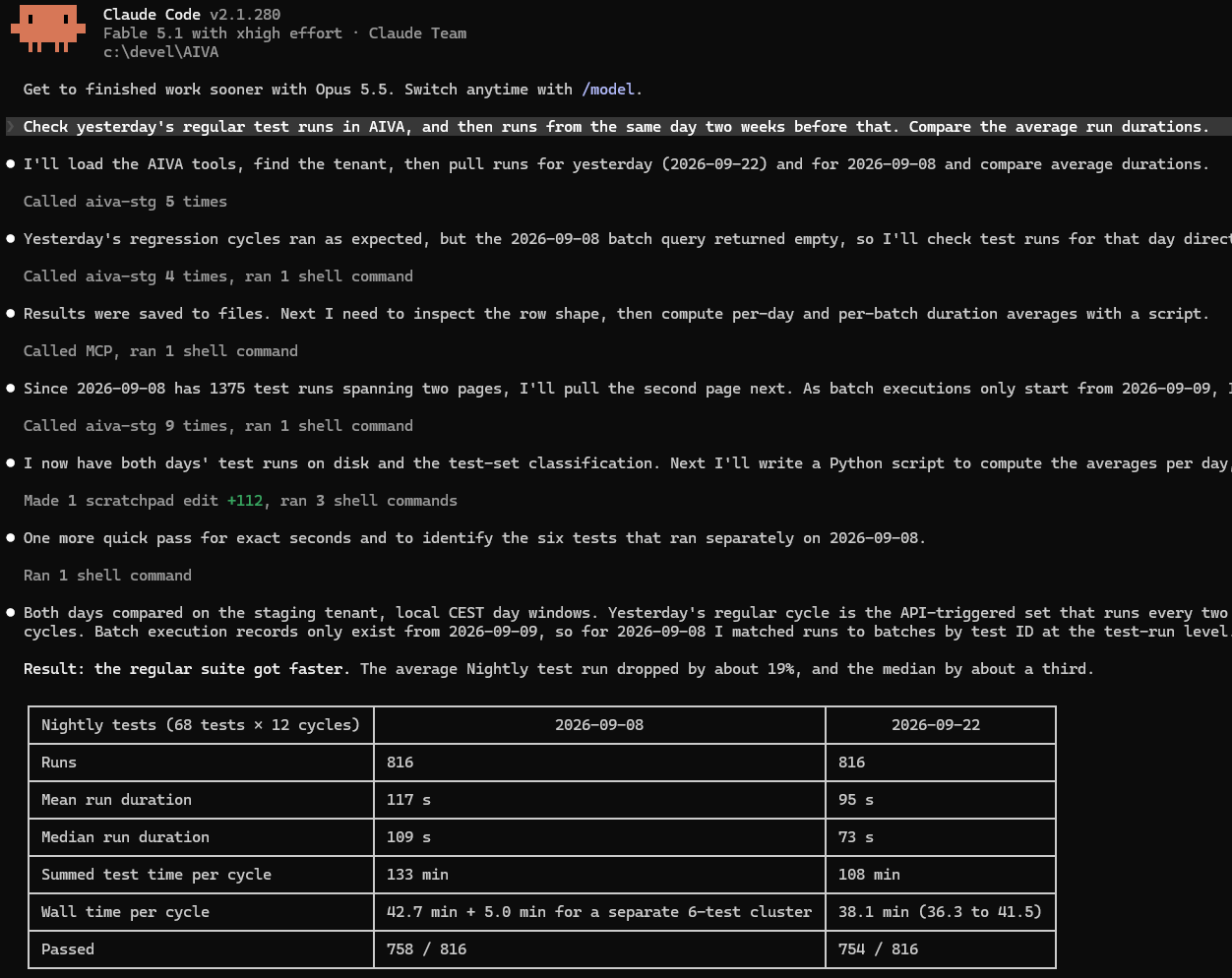
This first version covers running tests and reading their results. Creating tests through the MCP server is coming in a future release.
To get started, see Connect an AI assistant (MCP).
Faster test execution
We've improved the speed of various actions during test execution, so you can expect faster tests with no downgrade in reliability. In our benchmarks, test duration decreased by 22%. Combined with the test recording speed-up from a few releases ago, AIVA will feel noticeably faster to use than before.
Names that actually tell you what they mean
Elements and pages now get clearer, more meaningful names instead of generic labels like "Icon" or "Area", so your recorded steps are easier to read and understand. You can always rename them in Edit mode of a test; names have no impact on actual test execution.
Right-click and double-click in test recordings
While rare in web applications, some tests need a right mouse button click or a double click. That wasn't previously possible with AIVA. It is now.
Note that this doesn't trigger the browser's native context menu. Right-clicking only works if the application you're testing handles the click itself; it can't be used to control the browser.
Notable bugfixes
- Translation issues - if you used your browser's built-in page translation, you may have run into issues clicking buttons like Submit feedback or Create new test. That's resolved now, so translating the AIVA interface should work smoothly.
- Support for Safari - test recording used to be disabled on Safari because of issues. These are now fixed, and AIVA now works in Safari the same way it does in Chromium-based browsers. Recording tests on a phone remains unsupported, in any browser, since that experience isn't optimized for mobile yet. See Known limitations for details.
Coming soon
- MCP server for AIVA: creating tests.
- Module variables: when you add a module to a test, you'll be able to set its variable values right in that step.
- Module steps expandable in the test detail and test result.
- Workspaces for new users will contain example tests to demonstrate various AIVA features.
- Browser console logs in test results.