v5.5 - latest (2026-08-18)
Welcome to AIVA news for version 5.5. The main highlight of this release is support for table localization. We've also improved healing, added support for more keyboard shortcuts, and made several quality of life improvements throughout AIVA.
Localizing elements in tables
AIVA can reliably localize elements, buttons, input fields, and icons anywhere on the page. The problematic area is tables, because the content can dynamically change between test runs. Table rows can be added, deleted, or reordered, and you need your tests to be reliable despite changes in tables on the web page.
From your point of view, you don't have to do anything extra to start testing web pages with tables. AIVA detects tables automatically, localizes where you clicked during a recording, and understands which row and column it was. If you want to change the way the table search is performed, you can open the step detail and change it from "By content" to "By position". This means AIVA will interact with the row you specify by position, rather than finding it by specific content. For more information, see Reliable table interactions.
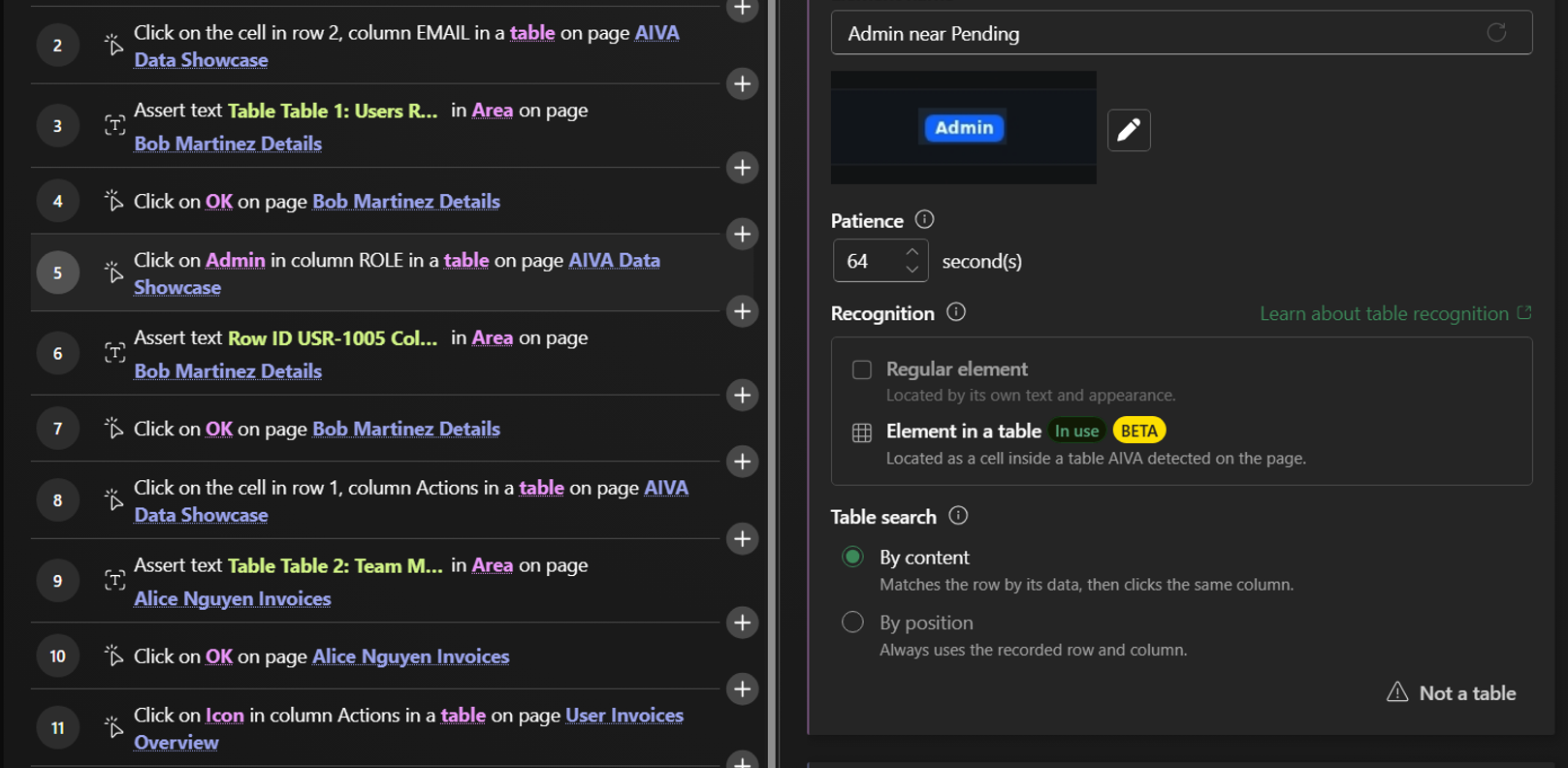
Table support is currently released as a beta feature. While it already works well across many table designs, we're continuing to refine it and would appreciate your feedback from real-world testing. If you encounter localization issues in tables, please use the built-in Report an issue button. Your reports help us improve support for more table structures and layouts.
If AIVA recognized a table where there isn't one, please report this by clicking Not a table in the step detail. If the localization in tables doesn't work for any reason, you can change it to general localization instead.
Healing improvements
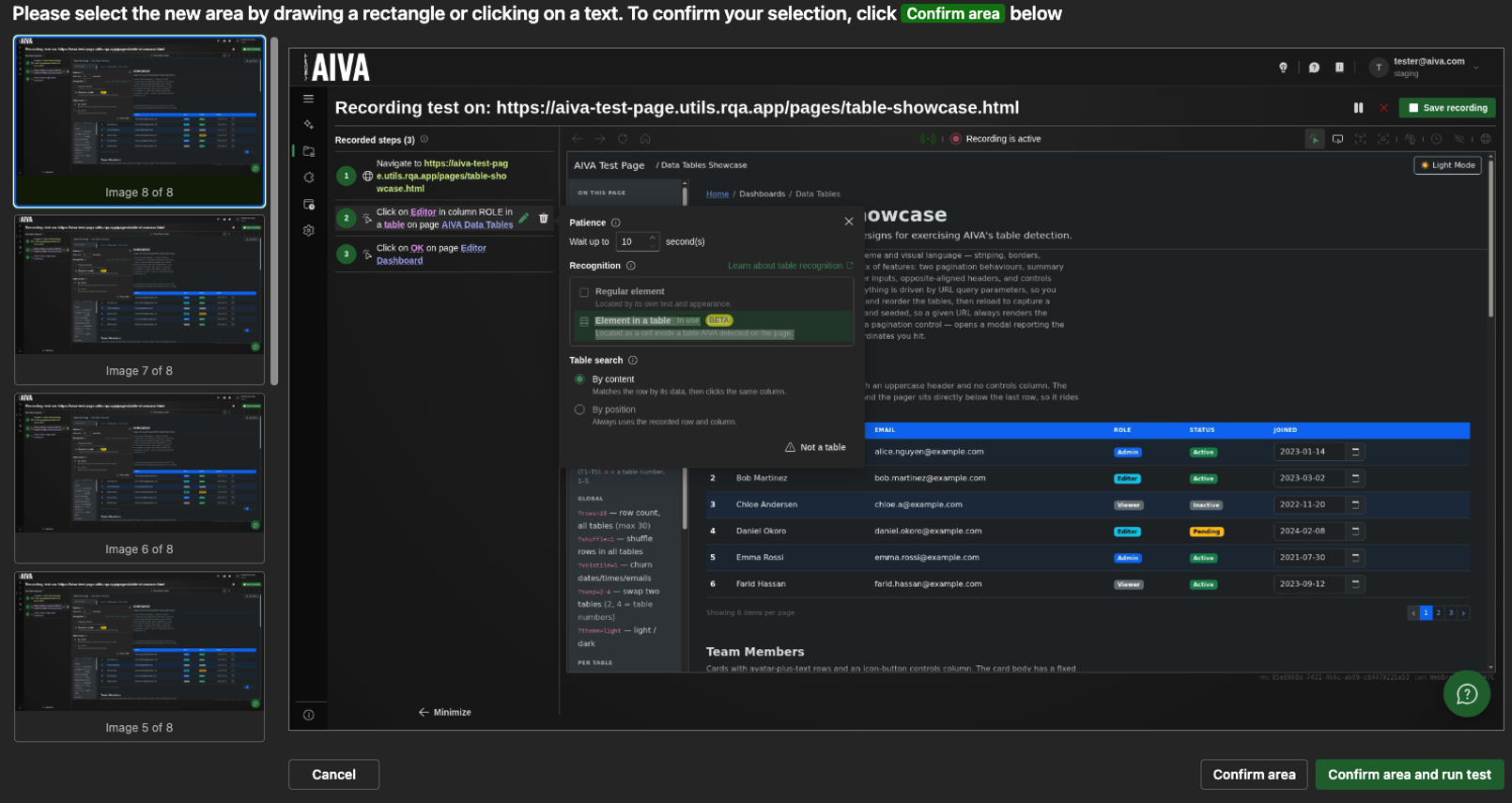
A few usability improvements landed in the healing experience.
- Run a test immediately after healing, with no extra clicks.
- Latest screenshots now appear first in the image gallery.
- Selected elements are highlighted with an animated outline, making selections more visible without relying on warning colors.
Additional keyboard actions
AIVA now captures and replays a broader range of keyboard shortcuts during both test recording and execution. Newly supported inputs include:
- Arrow keys
- Ctrl/Cmd + Arrow keys
- Home / End
- Ctrl/Cmd + Home / End
- Page Up / Page Down
- Escape
Create new test page improvements for first users
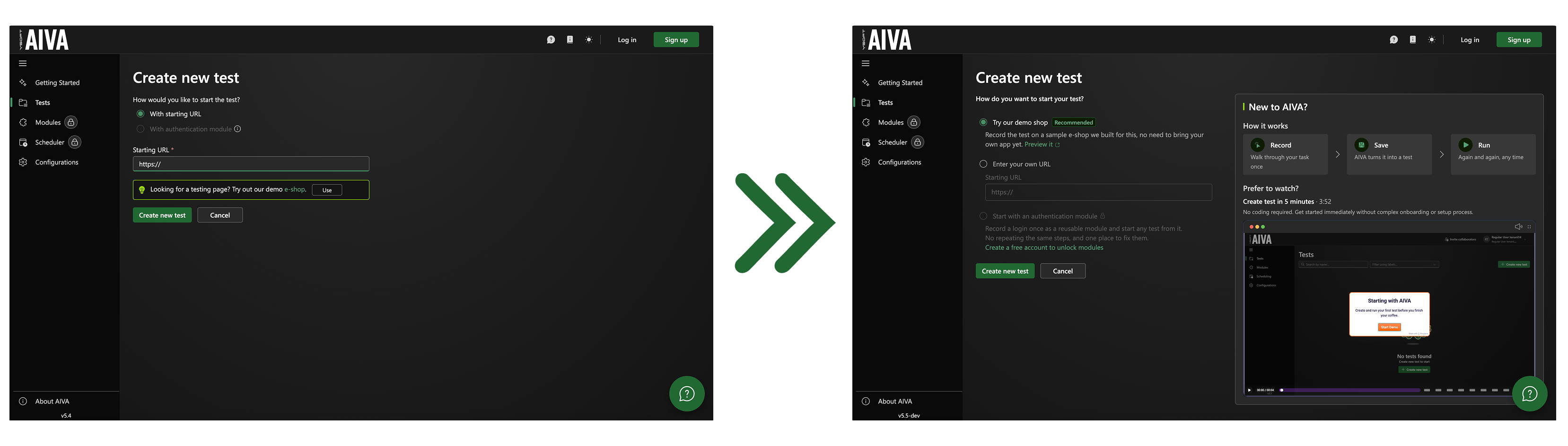
We're gradually making AIVA more accommodating to new users who have no prior experience with it. One such change is an improvement to the Create new test page, which, in addition to the standard options and inputs, is enhanced with tips on how AIVA works. A pre-selected option to try recording a test on the AIVA demo page is included, to help avoid issues with attempts to record tests on unreachable sites or public websites that use various forms of bot detection and captchas.
Minor improvements
A minor quality of life improvement swaps relative timestamps used throughout the AIVA interface for absolute timestamps. For example, when you browse through your batch run history, you can now distinguish between individual runs more easily, with no more meaningless "a month ago" info for dozens of records. From now on, relative timestamps will only be used for records that occurred within the last 24 hours.
Coming soon
- File upload action available in tests
- Generic modules available during recording and re-recording