v5.6 - latest (2026-08-31)
Welcome to AIVA news for version 5.6. The main highlights this time are recording file uploads as steps in your tests, and another improvement in modules.
File upload
We’re aiming to make AIVA able to test any web app and implement any kind of test case, eventually. One of the features that were missing to make that a reality was uploading a file as part of a test. Starting with this release, that’s possible. To record a file upload step, simply do whatever action in your tested app triggers the file selection dialog during test recording, and AIVA lets you upload your own test file.
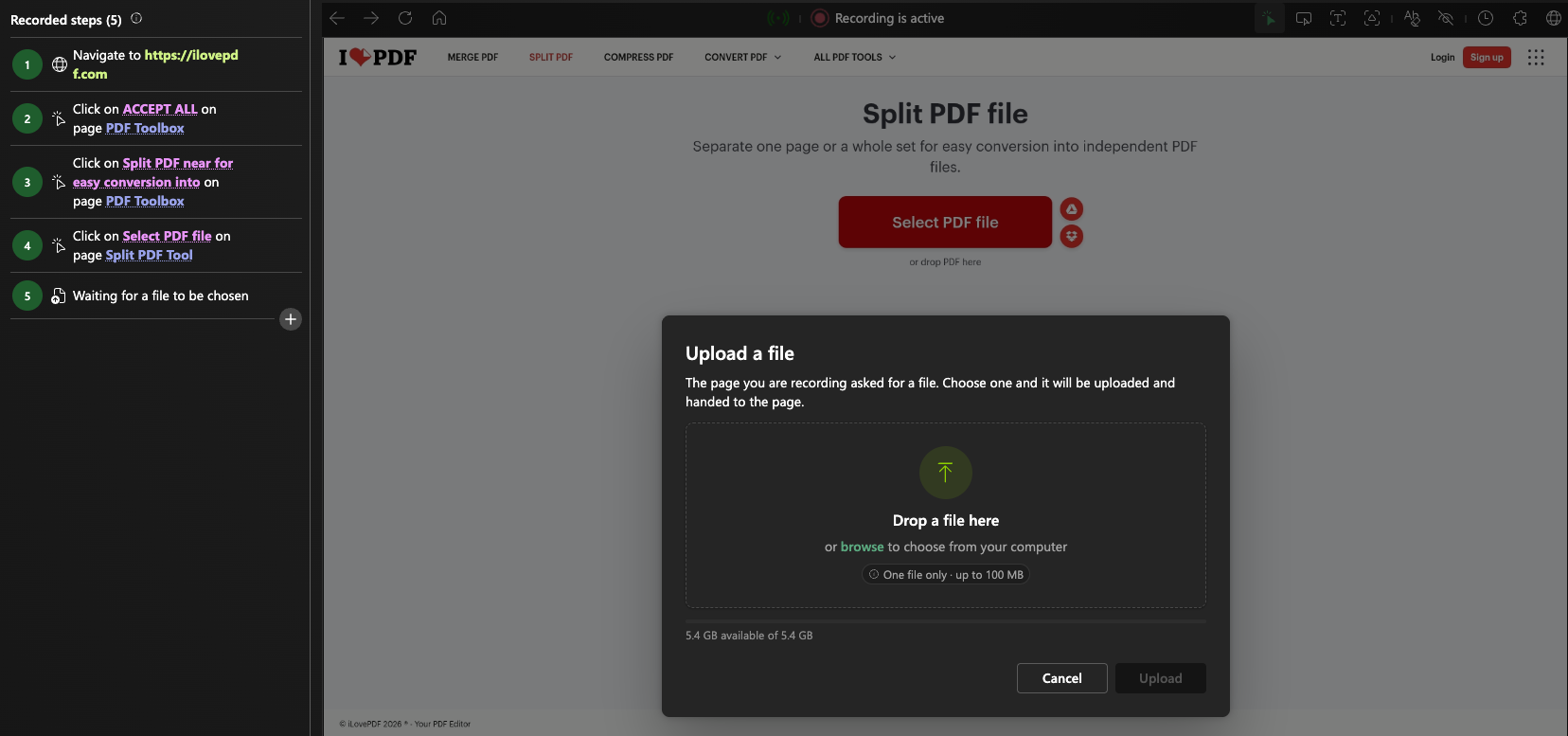
Just as with other types of steps, you can later view the details (including downloading the file) and edit the file upload step (replacing the file with a new one).
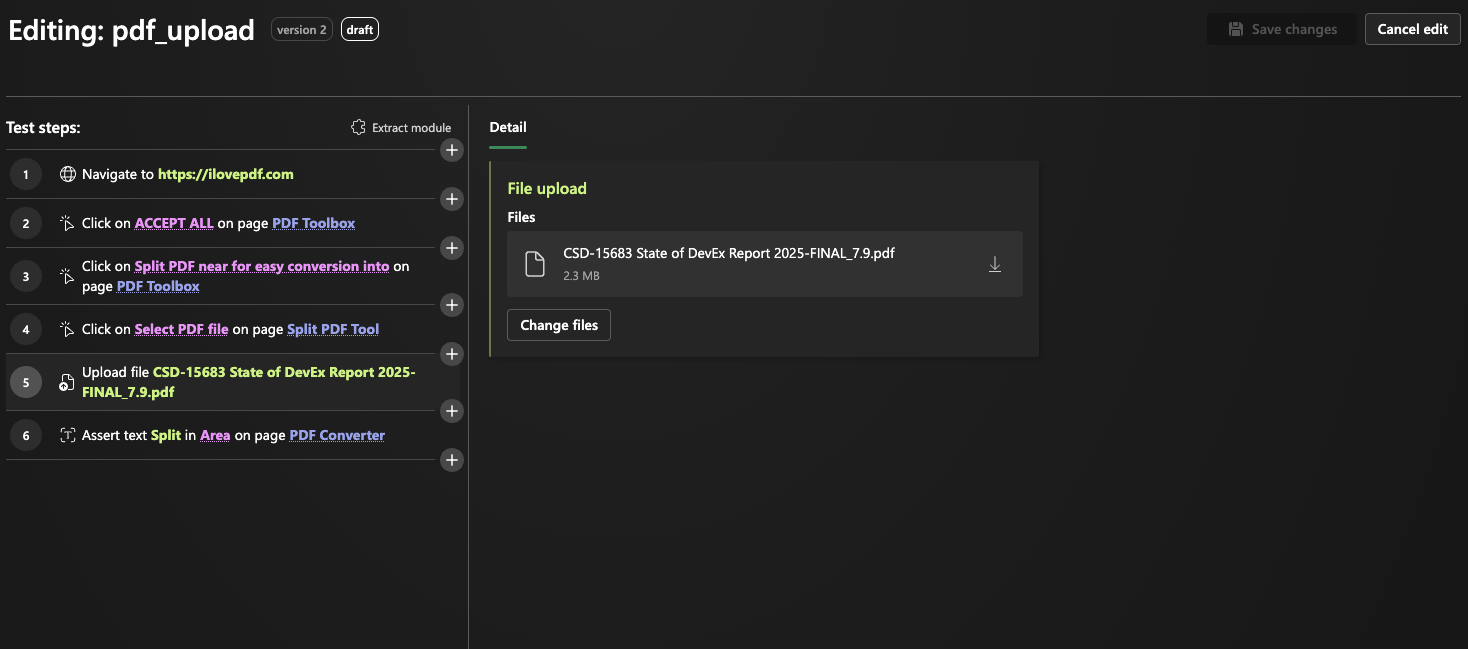
Ideally, the files you use for testing shouldn’t contain any sensitive information. If they do, note that anyone you invite to collaborate in your workspace will have access to them, just as they do to any other aspect of your tests and test results.
Add module during recording and re-recording
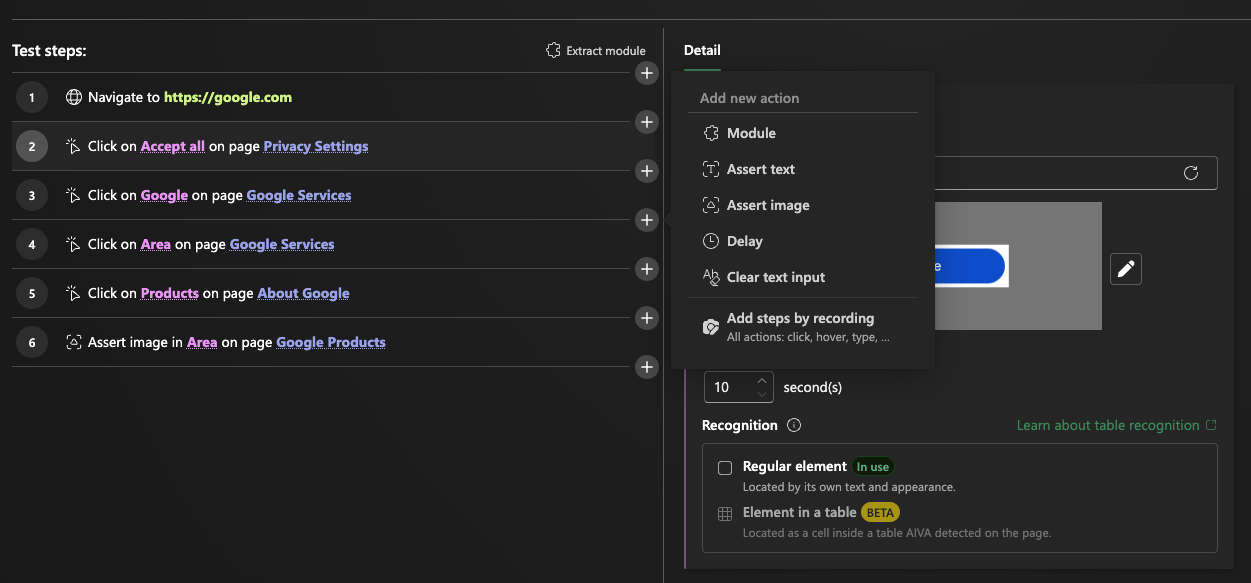
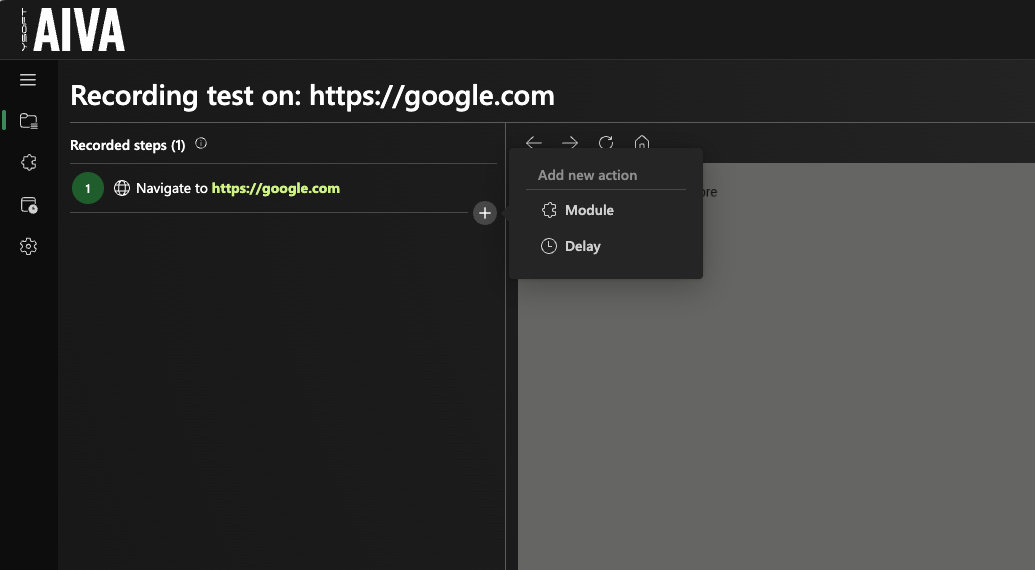
Since the beginning of August, when we introduced Generic modules to AIVA, we have been further improving the modularity of tests. From now on, you can insert a module of your choice:
- To your existing test in edit mode via the “+” action button in between individual steps,
- Or during recording of a new test using the same “+” action button or clicking the already familiar puzzle-piece icon in the recording toolbar,
- Or while re-recording an existing test, in the same manner.
Coming soon
- MCP server for AIVA: connect your AI agent to AIVA. It will start with running tests and checking results; creating tests will come later.
- Module variables: when you add a module to a test, you'll be able to set its variable values right in that step.