v4.8 (2026-05-05)
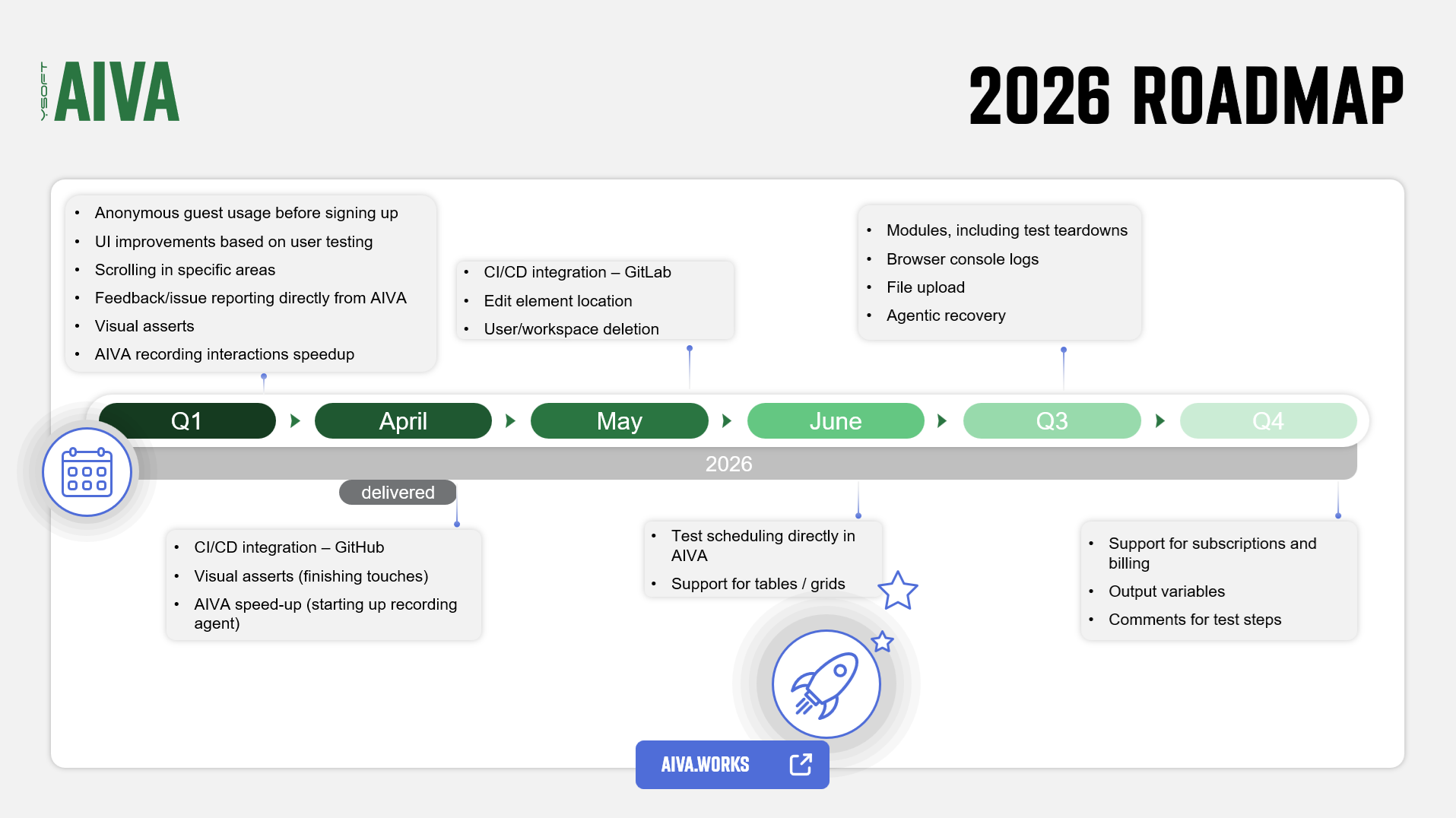
Welcome to AIVA news for version 4.8. This time again we’re including an updated roadmap at the end.
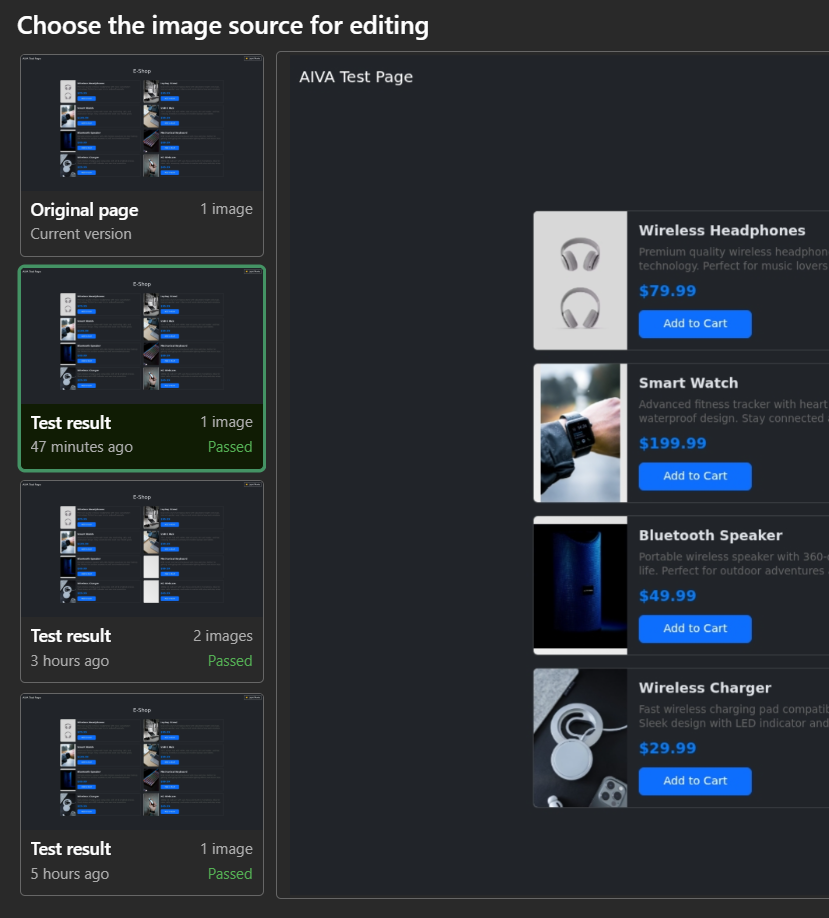
Edit element location
You can now edit element location for click and hover actions without re-recording a test, using the most recent images of the page. Previously, you could only edit the location by healing the test from a failed test result, or by using re-recording, which took more of your time. When you edit a location, just choose an image that contains the correct element locations, click on the element and confirm. To keep things consistent, healing a test now creates new version of it, so you can revert any change easily.
Test result comments
When analyzing test results, you are usually not alone. Whether it is your colleague or just the "future you", there is a need to communicate findings with each other. That’s why we added comments on test results in AIVA. It is a minor, but pretty handy feature. You can find it right under the name of the test. Each test result with a comment will then be marked with a small “note” icon.
Guests can try AIVA more
In response to your valuable feedback, we have expanded the free guest access before signup, increasing the limit from one test with one run to one test with up to ten runs and ten edits. This enhancement allows guests to explore AIVA's features more thoroughly before creating an account.
Easier GitHub integration
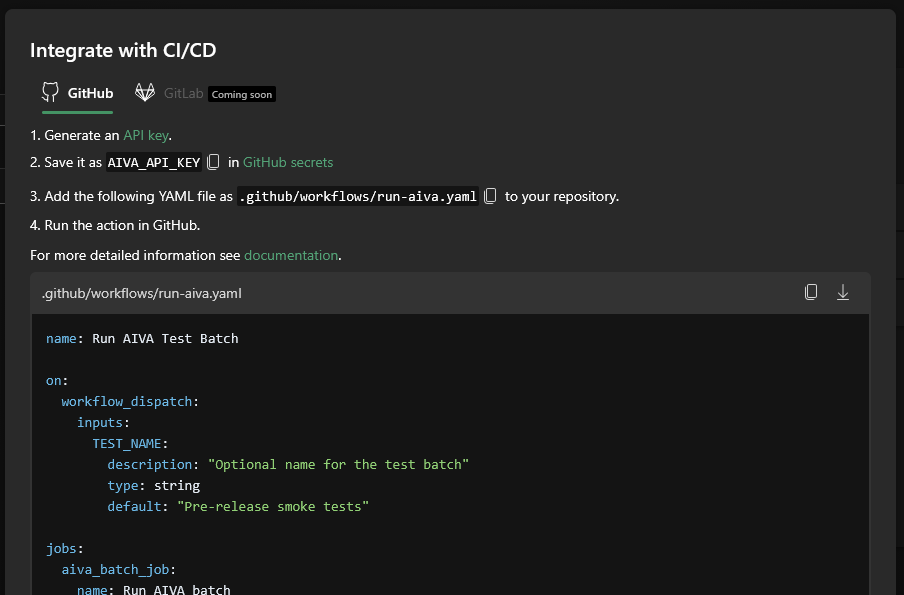
Having to run your tests manually is no fun. Last time, we introduced a way to run AIVA tests from a GitHub workflow. This time, we’ve gone further by integrating that feature into the AIVA user interface.

In the spirit of striving to make AIVA easy to use for everyone, which is our goal, you can now simply define a test batch and have the YAML file generated and get the instructions for GitHub integration right there in the app:
Miscellaneous
Our latest addition to our test recording tools, visual assert, has undergone user testing. We found that, in principle, it is a useful and valuable tool, but its functionality needs to be better communicated to users so that they can work with it more effectively. This includes, for example, better description of advanced parameters (such as threshold), or a more instructive process for healing issues related to visual asserts.
As AIVA has been growing quite rapidly, so has its documentation, which thus needs to be given a structure, making it a mature part of the product. Therefore, apart from significant reorganization of the content, it also received a new front page. Go check it out.
Coming soon
- GitLab integration
- Element localization improvements – prerequisite for having more control over localization of elements in tables and grids
- User/workspace deletion
Roadmap update