v4.1 (2026-02-10)
Welcome to AIVA news for version 4.1. This time, we are eager to present one major change in how we approach checking the validity of the test progress, and a major improvement in scrolling.
Removed screen classification, added automatic detection of default patience
We have changed the way AIVA verifies the correct progress of a test scenario. Previously, AIVA was classifying the look of a page after each action into categories learned during test recording, which was supposed to show if the current page looks like the expected one. This approach, however, was not reliable, led to many false warnings in the test result, and only confused you, rather than helping you.
We had “a hunch” that our element localization approach could cover the test progress validation by itself. After extensive testing, we were able to confirm that we can remove page verifications and replace them with automatically calculated patience for each step. AIVA now relies purely on visual localization of elements (buttons, inputs, icons…) to verify correct progress of the test. Should the page verification be needed in future, we can make it an opt-in feature.
Existing tests will not be changed automatically and remain compatible with the old method. Only new test recordings will not use the page verification feature.
As a welcome side effect, the removal of page verifications has significantly sped up test execution. Our internal tests of AIVA testing AIVA went down 25 minutes from about 85 minutes to 60 minutes. That’s an improvement of 29%. Also, you no longer need to wait for training of the image recognition model, so you can execute your test immediately after recording.
You can now scroll anywhere
We introduce a new approach to scrolling, which enables you to scroll anywhere on the screen, including modals, side menus, combo boxes, tables, etc. Previously, you couldn’t use AIVA to test an app if the scenario relied on scrolling anywhere outside the main content frame.
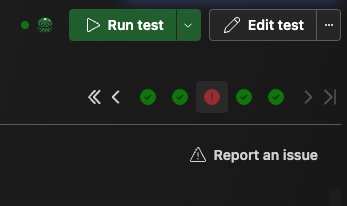
As this approach is new, it can be prone to some errors. We have tested it thoroughly and made sure it is backwards compatible. However, we would like to encourage you, should you experience any issues with localization using scrolling (or with anything else), to report it to us. You can use the Report an issue button right in AIVA in a failed test, contact us directly, or via Discord.
Test details visible without edit mode
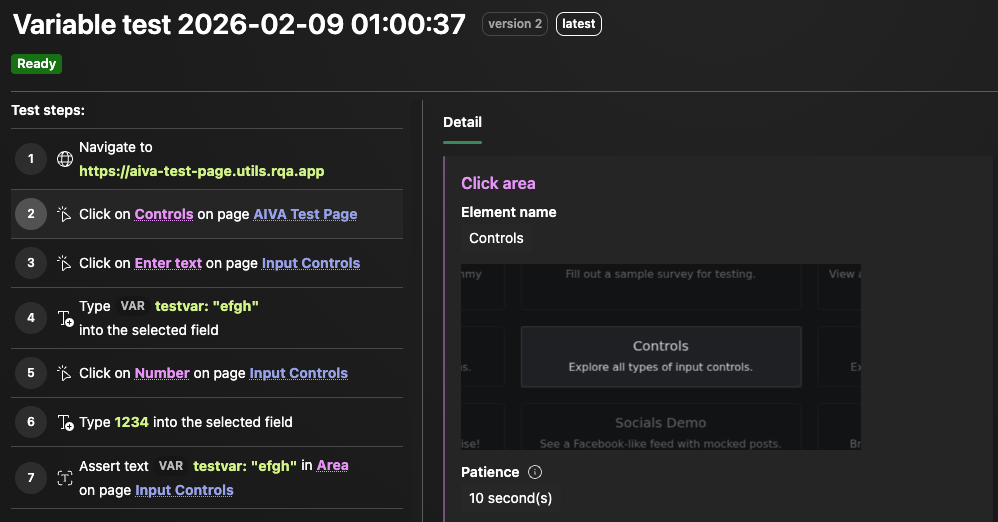
You can now see the step details by clicking on the desired step, without having to enter edit mode.
New tutorial for authentication modules
On the Getting started page, you can find a new tutorial, this time covering the creation and use of authentication modules. The tutorial explains what authentication modules are, when and why it is good to use them, and how to create them.
Coming soon
- User signup – speed optimizations
- Feedback buttons in AIVA for users to send us questions or issue reports directly from the app
- Visual asserts